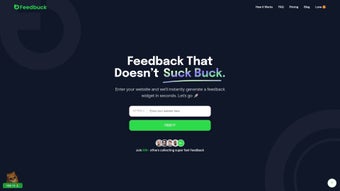

Download Feedbuck AI – AI‑Powered Feedback Collection Tool for Startups
Introduction
Feedbuck AI is a next‑generation web‑based feedback platform that redefines how product teams gather, analyse, and act on user insights. Powered by a proprietary artificial‑intelligence engine, the service lets you embed a fully customisable feedback widget on any website within minutes, without needing a developer’s assistance. Whether you are a bootstrapped startup seeking validation for a Minimum Viable Product or an established SaaS provider fine‑tuning feature prioritisation, Feedbuck AI delivers real‑time, contextual insights that align with your brand voice and business objectives.
The AI automatically creates contextual prompts, mirrors your company’s tone, and curates responses so you receive high‑quality data while minimising questionnaire fatigue. Native integrations with communication channels such as Slack, WhatsApp, and Telegram ensure that feedback reaches the right stakeholders instantly, turning raw comments into strategic decisions. By focusing on targeted outcomes—feature prioritisation, usability testing, market validation—Feedbuck AI helps you accelerate growth, reduce the risk of costly missteps, and maintain a competitive edge in fast‑moving markets.
Its secure, GDPR‑compliant architecture guarantees data privacy, while the cloud‑native infrastructure provides 99.9 % uptime, making it a reliable partner for continuous product improvement.
Core Features & AI Capabilities
- AI‑Generated Prompt Engine: Dynamically creates questions that match your brand tone, increasing response relevance.
- Customisable Feedback Widget: Drag‑and‑drop design, colour palettes, and placement options let you embed the widget anywhere on your site without code.
- Real‑Time Dashboard: Live visualisation of responses, sentiment analysis, and trend detection for instant decision‑making.
- Multi‑Channel Integration: Seamless push of new feedback to Slack, WhatsApp, and Telegram groups, keeping teams in the loop.
- Targeted Question Logic: Conditional branching based on user input, ensuring you collect only the most relevant data for specific business goals.
- Export & API Access: Download CSV reports or connect to your existing analytics stack via a RESTful API.
- Privacy‑First Architecture: GDPR‑compliant data handling, encrypted storage, and granular consent controls.
- Scalable Cloud Infrastructure: Handles traffic spikes from product launches or marketing campaigns without performance loss.
Each of these capabilities works together to create a frictionless feedback loop. The AI‑generated prompt engine analyses the context of the page where the widget lives, extracts key product terminology, and formulates questions that feel native to the user’s journey. This reduces cognitive load and yields richer, more nuanced answers.
The real‑time dashboard adds visual sentiment gauges, heatmaps, and keyword clouds, enabling product managers to spot emerging pain points before they become critical bugs. Multi‑channel integration guarantees that developers, marketers, and executives receive notifications in tools they already use, dramatically shortening the feedback‑to‑action cycle. Together, these features empower teams to iterate faster, validate assumptions with confidence, and ultimately deliver products that resonate with their target audience.
Installation, Setup & Compatibility
Step‑by‑Step Installation
- Visit the Feedbuck AI website and click the Get Started Free button.
- Create an account using your corporate email or single‑sign‑on (SSO) via Google Workspace.
- Confirm your email address; you’ll be redirected to the dashboard where you can generate a unique widget code.
- Select the widget style (modal, slide‑in, or embedded bar), adjust colours, and set the default question set.
- Copy the generated JavaScript snippet and paste it just before the closing
tag of your website. - Publish the page. The widget appears instantly, and the AI engine begins tailoring prompts based on visitor behaviour.
- Optional: In the Integrations tab, link your Slack, WhatsApp, or Telegram channel to receive live alerts.
- Review the onboarding tutorial to fine‑tune conditional logic, consent settings, and export preferences.
Supported Operating Systems & Browsers
Feedbuck AI is a cloud‑based SaaS solution, so it runs on any modern operating system that can access a web browser. The platform has been tested on:
- Windows 10/11 (Chrome, Edge, Firefox)
- macOS Ventura and later (Safari, Chrome, Firefox)
- Linux distributions with recent Chromium‑based browsers
- iOS 14+ (Safari, Chrome) – for mobile widget rendering
- Android 9+ (Chrome, Firefox) – for responsive feedback forms
Because the widget is pure JavaScript, it degrades gracefully on older browsers, showing a simple HTML form if advanced AI features cannot be executed. Backend services run on a secure AWS environment, guaranteeing 99.9 % uptime and automatic model updates that keep the AI current without any manual intervention from your side. Whether your team uses Windows laptops, macOS workstations, or mobile devices, Feedbuck AI delivers a consistent experience across all platforms.
Final Verdict, Pros & Cons, FAQs & Call to Action
Pros
- AI‑driven question generation eliminates manual survey design.
- Highly customisable widget blends seamlessly with any brand aesthetic.
- Real‑time analytics and sentiment analysis accelerate product decisions.
- Integrations with Slack, WhatsApp, and Telegram keep teams instantly informed.
- Scalable cloud infrastructure handles traffic spikes without latency.
- GDPR‑compliant data handling protects user privacy.
Cons
- Advanced AI features are limited to paid plans.
- Initial setup requires basic HTML knowledge for script embedding.
- Limited native mobile SDKs; mobile feedback relies on responsive web widget.
- Export formats currently limited to CSV and JSON.
Frequently Asked Questions
Is Feedbuck AI free to use?
Feedbuck AI offers a free tier that includes up to 500 feedback submissions per month, basic widget customisation, and email notifications. For higher volumes, AI‑enhanced prompts, and advanced integrations, you’ll need to upgrade to a paid plan.
How does the AI generate feedback prompts?
The AI analyses page content, user navigation patterns, and the tone you define in the settings. It then drafts questions that feel native to the user’s journey, adjusting language complexity and length to maximise completion rates.
Can I integrate Feedbuck AI with my existing CRM?
Yes. Feedbuck AI provides a RESTful API and Zapier connectors that let you push feedback data directly into Salesforce, HubSpot, or any custom CRM. The integration guide is available in the documentation portal.
What security measures protect my feedback data?
All data is encrypted at rest using AES‑256 and in transit via TLS 1.3. Feedbuck AI complies with GDPR, CCPA, and ISO 27001 standards, offering granular consent management and the ability to delete user data on request.
How quickly can I start receiving feedback after installation?
Once the widget script is embedded and the page is published, feedback can be collected instantly. The AI prompt engine begins tailoring questions in real time, so you’ll see the first responses within seconds of a visitor interacting with the widget.
Structured Review
Rating: 4.5/5
TechProduct Analyst
Feedbuck AI delivers a compelling blend of AI‑driven question generation and seamless multi‑channel integration, making it a strong candidate for startups that need rapid, actionable feedback. The free tier is generous enough for early‑stage validation, while paid plans unlock powerful analytics and higher volume limits. Minor drawbacks such as limited mobile SDKs and the need for basic HTML knowledge are outweighed by the platform’s speed, scalability, and privacy focus.
Call to Action
In a market where user insight can make or break a product, Feedbuck AI stands out as a secure, AI‑enhanced solution that shortens the feedback loop without sacrificing data quality. Its plug‑and‑play widget, real‑time dashboard, and instant integration with communication platforms give development teams the confidence to iterate faster and align more closely with market demands. While premium features require a subscription, the free tier provides ample functionality for early validation, making the tool accessible to bootstrapped startups and larger enterprises alike.
Download Feedbuck AI now and start collecting actionable feedback in minutes. Experience the blend of AI precision and seamless integration that can transform your product development workflow.



.png)



